create new ticket
 check ticket status
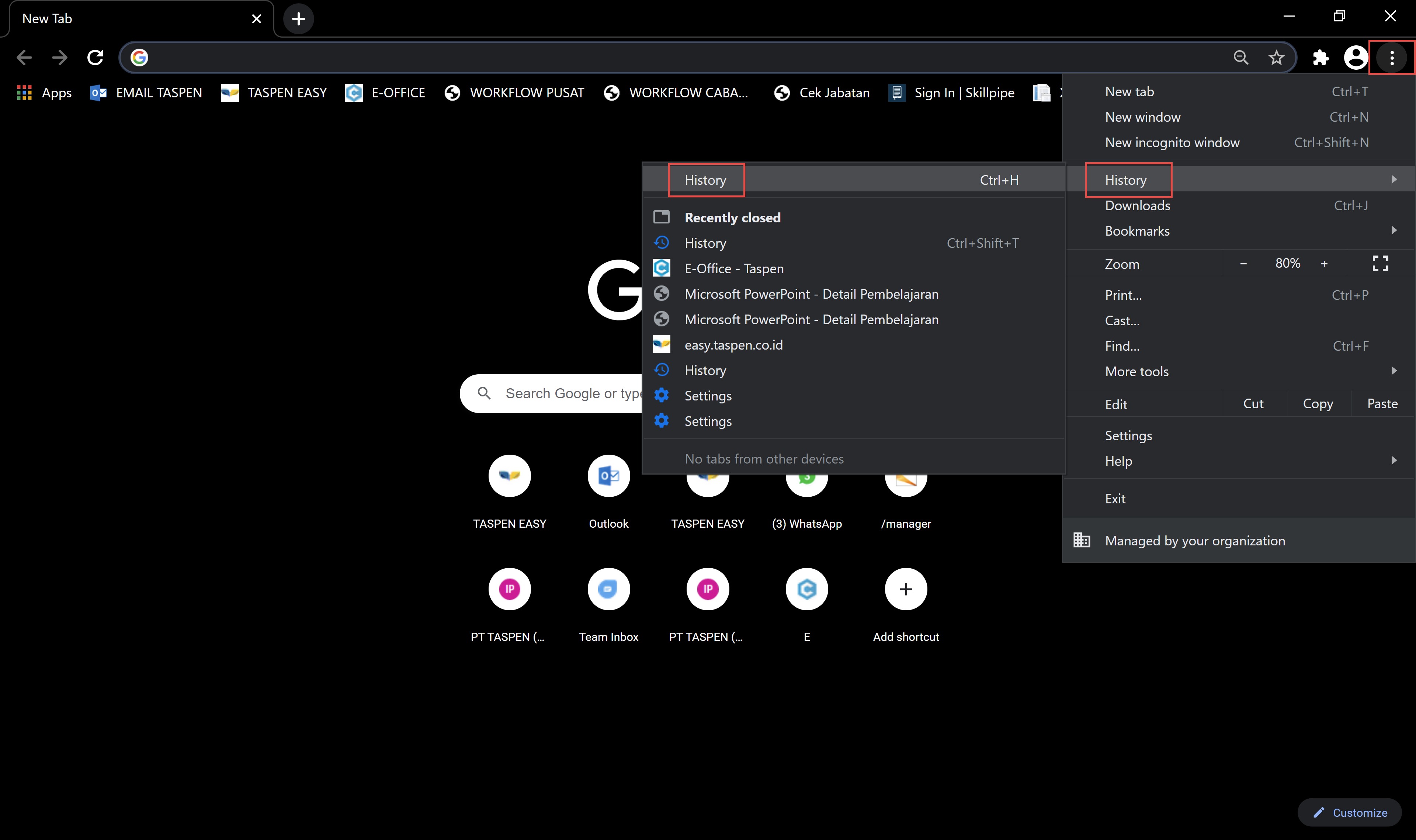
Cara Membersihkan Cache di Chrome
1. Akses side menu dan buka History > History.
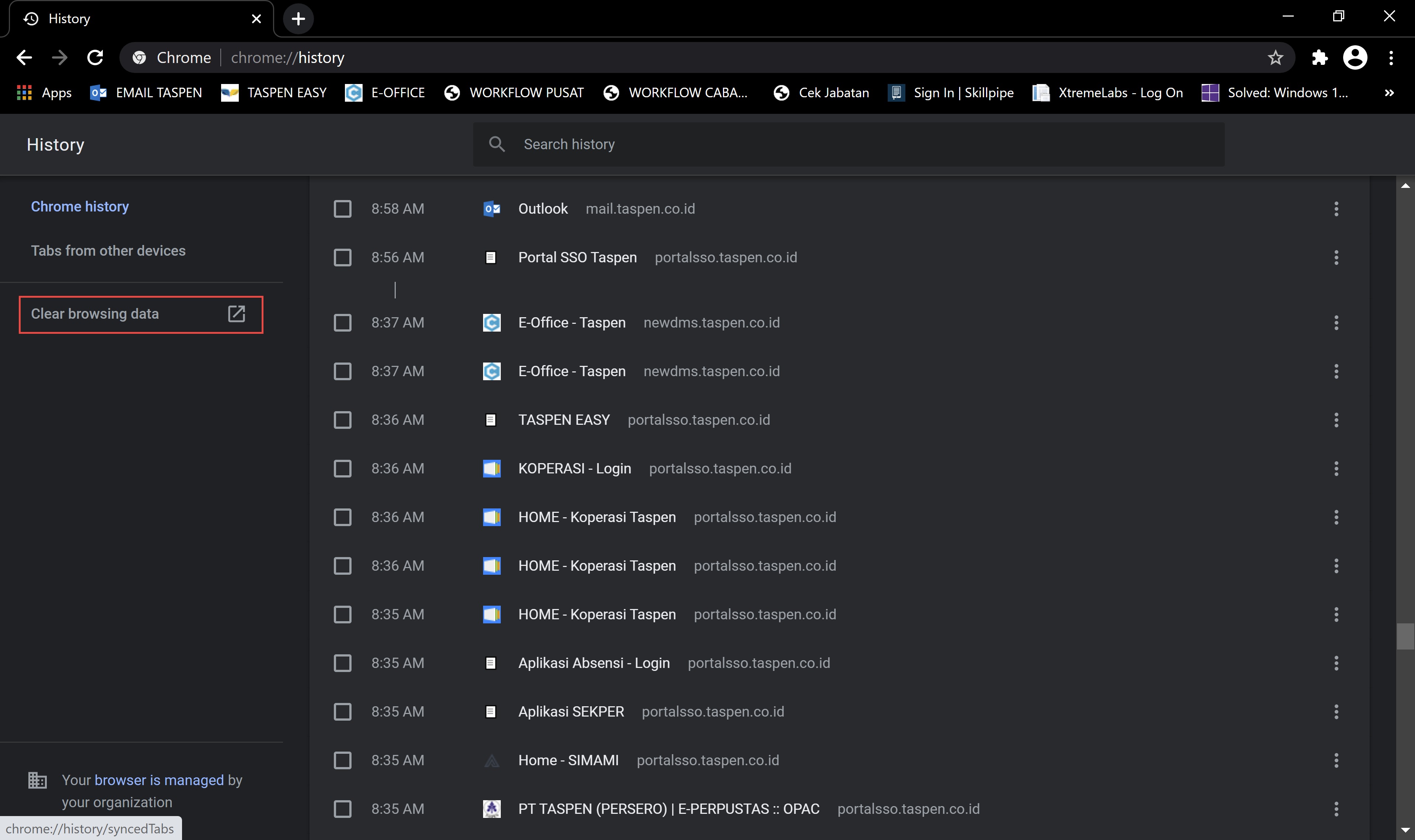
2. Pilih opsi Clear Browsing Data.
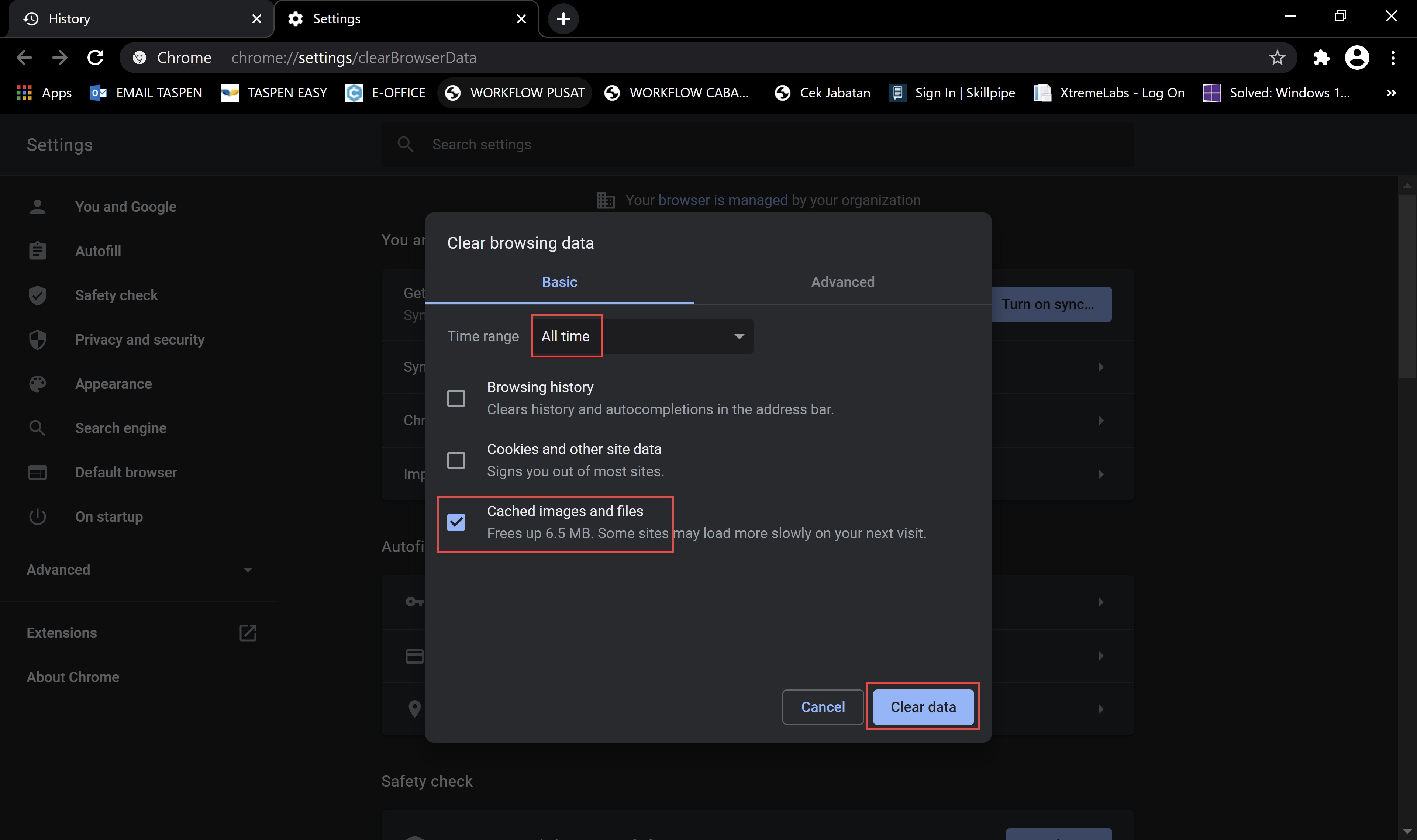
3. Di durasi (time range), pilih All Time untuk menghapus sejak data pertama.
4. Pilih elemen yang ingin dihapus – cache, cookies, history.
5. Klik Clear Data.
================================================================
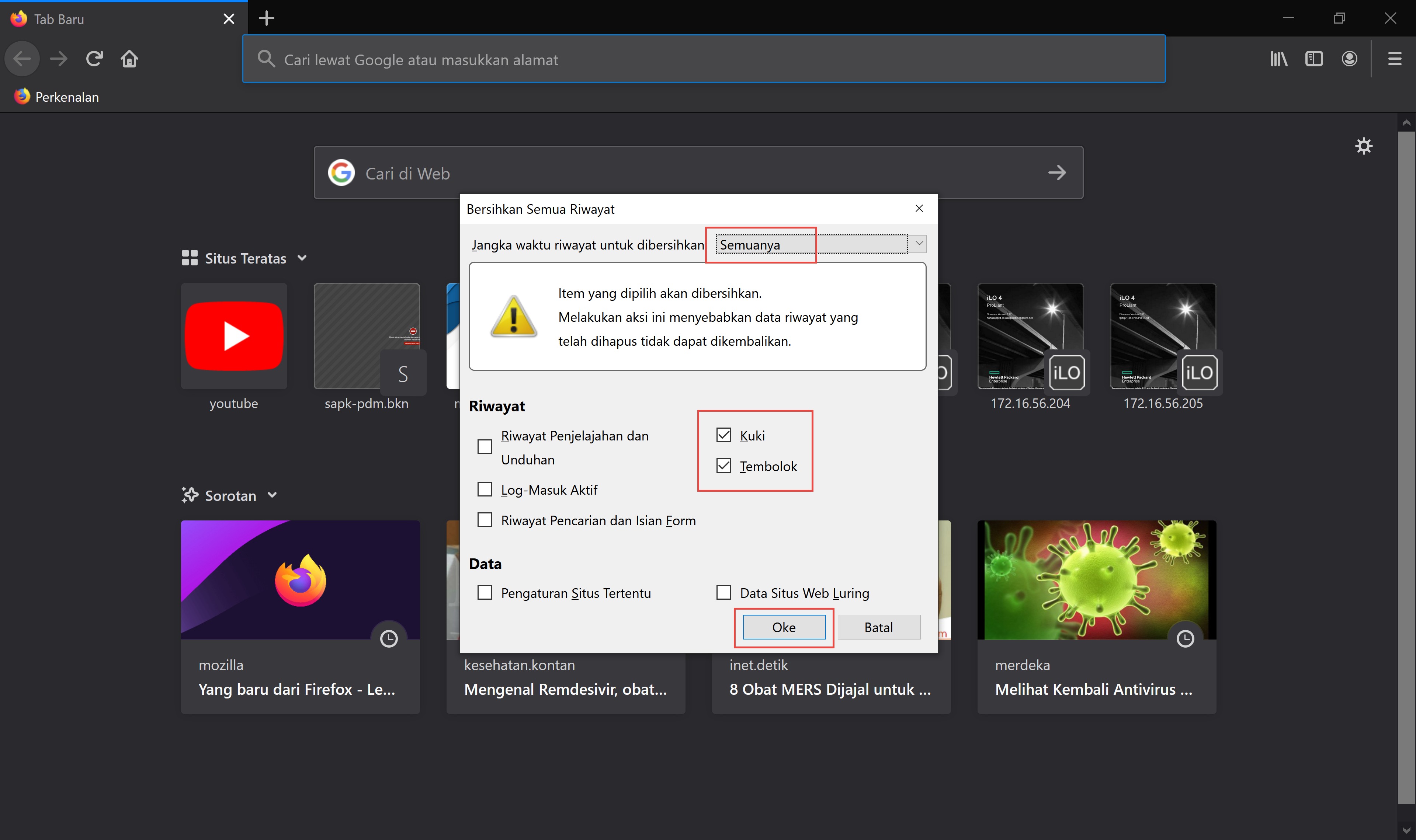
Cara Menghapus Cache Firefox
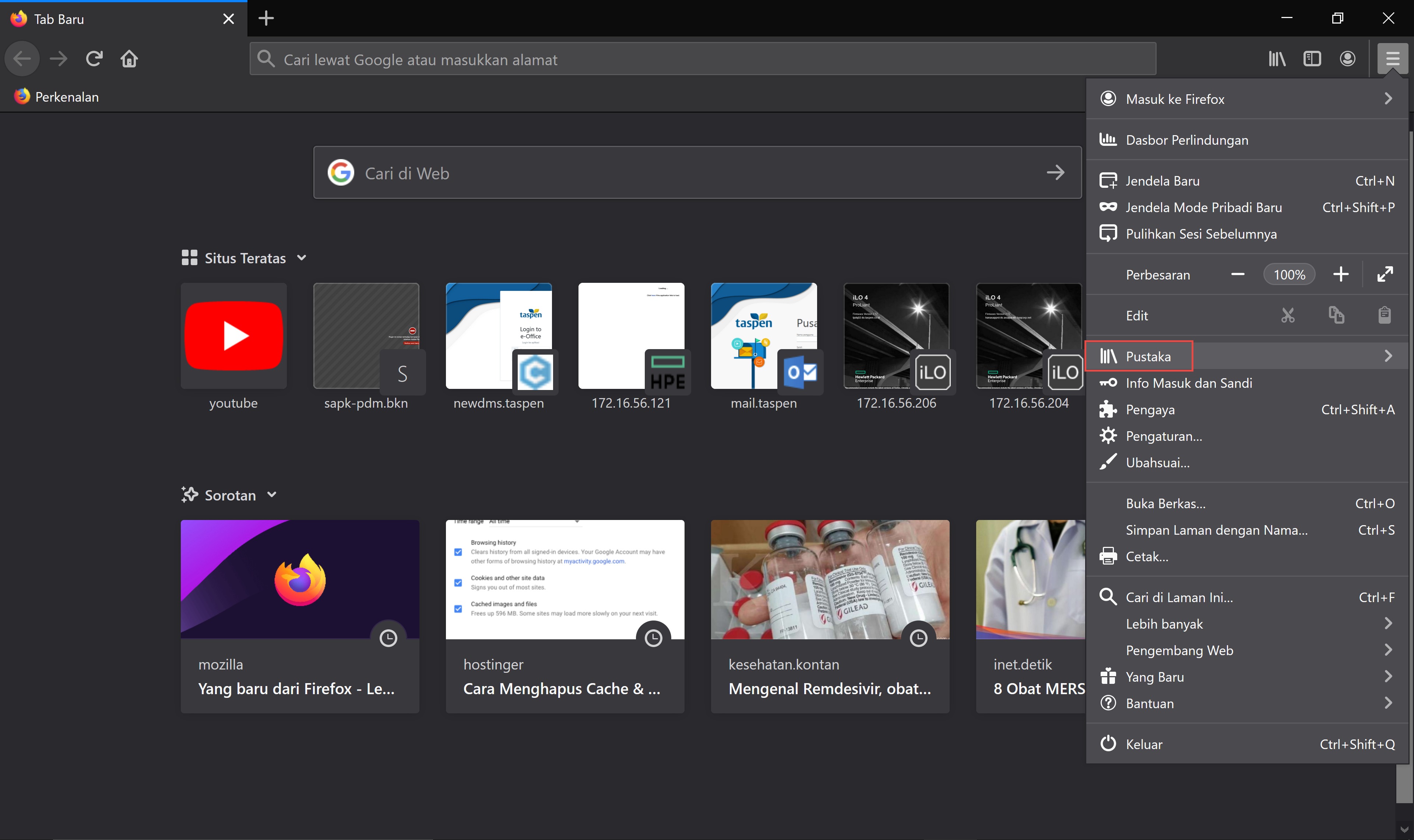
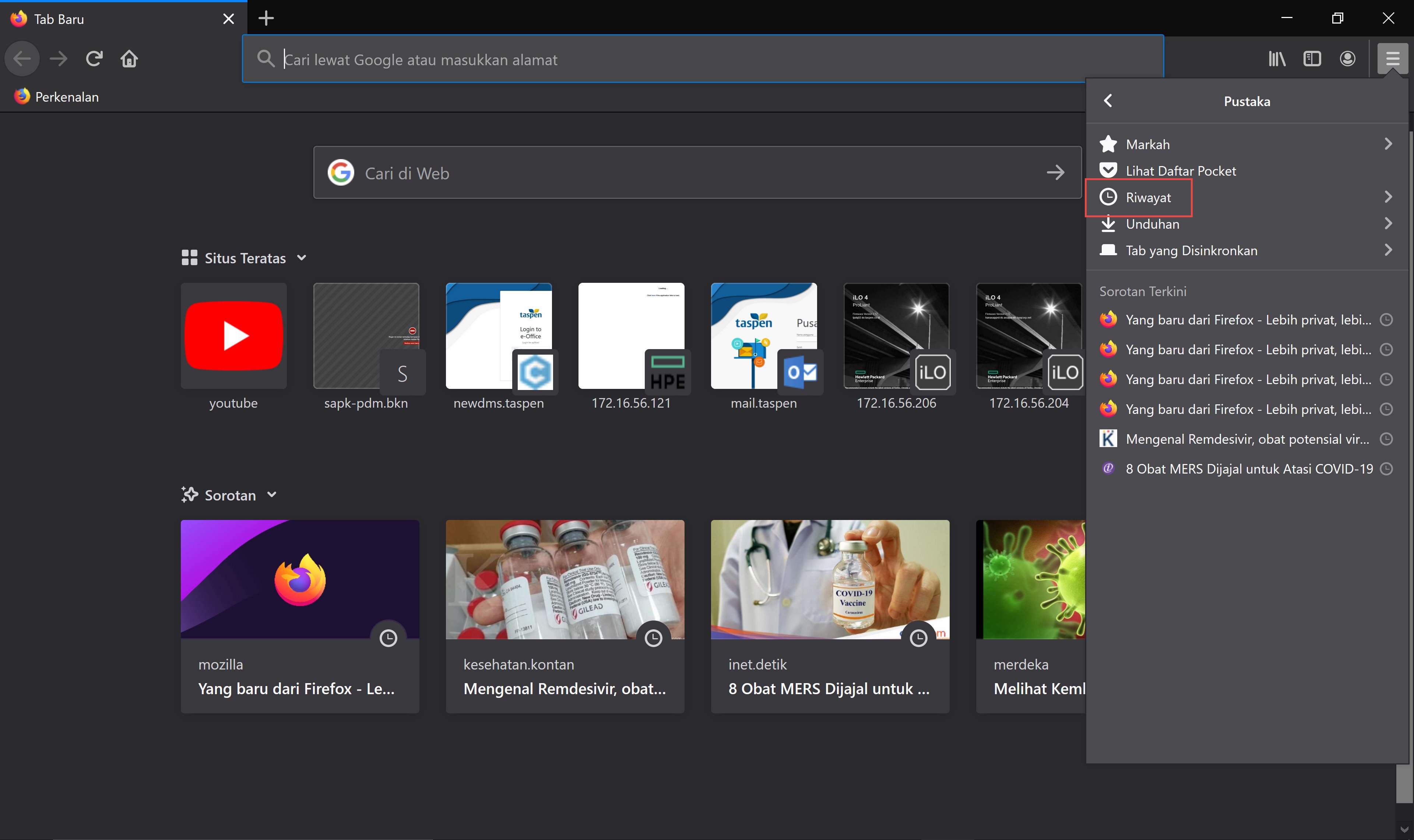
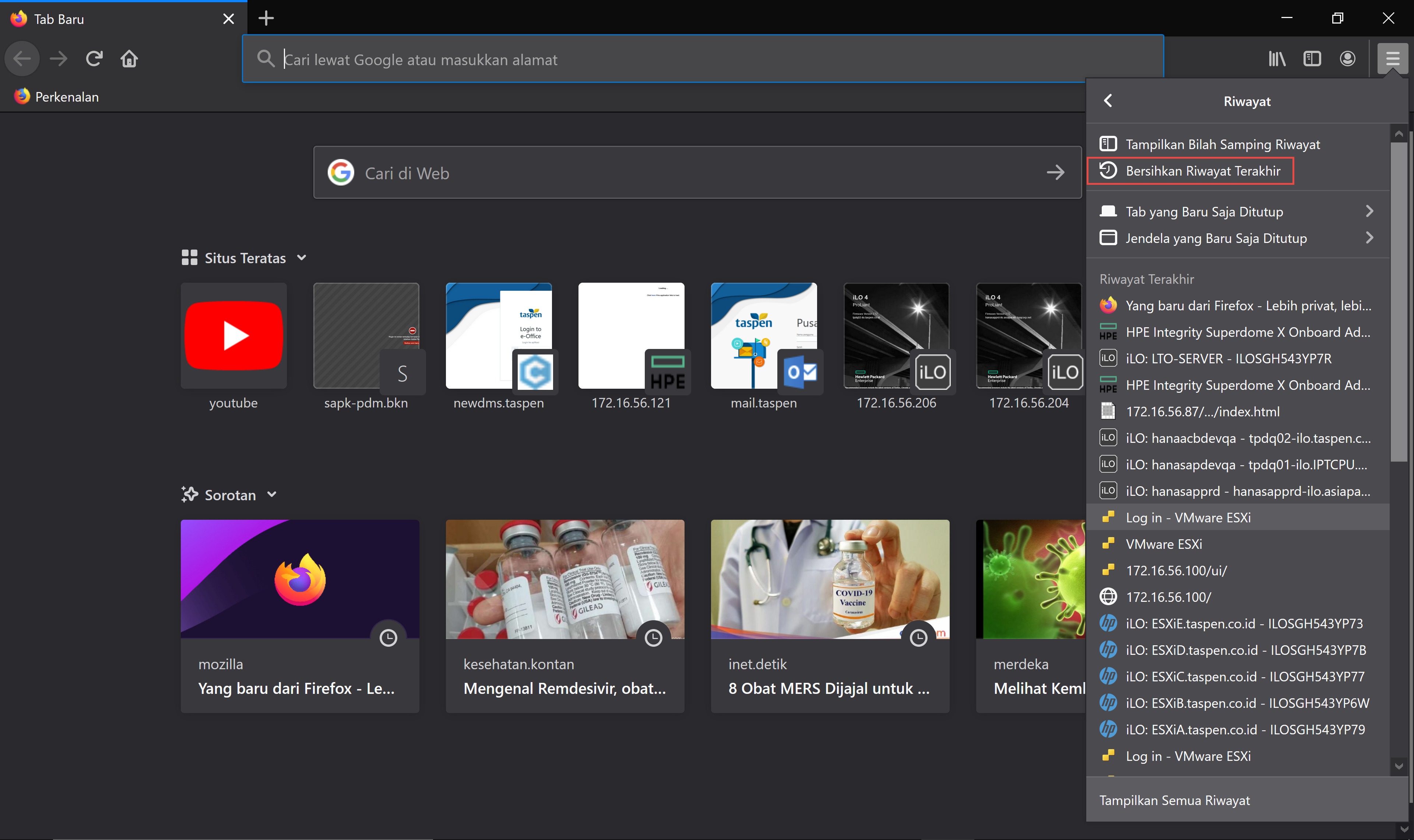
1. Buka side menu dan pilih Library > History > Clear Recent History.
2. Pada durasi (time range), pilih opsi All Time jika ingin menghapus sejak data pertama.
3. Pilih salah satu elemen yang ingin dihapus – cache, cookies, history.
4. Klik Clear Now.